For iPad

For Mac

Browse
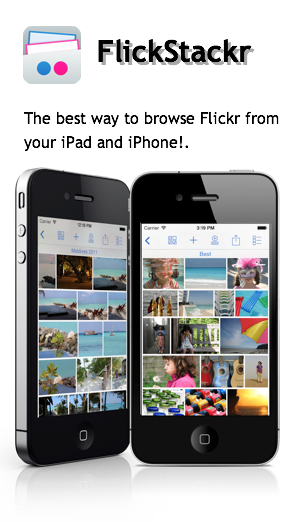
Browse photos in Flickr, even if you don't have an account. If you do, then you can also browse your photostreams, sets, favorites, groups, and contacts.
When browsing through your photos, you can choose how you want to view them: in a list, in thumbnails, full screen or in a slideshow.
Swipe through photos and zoom by pinching.
View tags, exif and photo location.
Upload
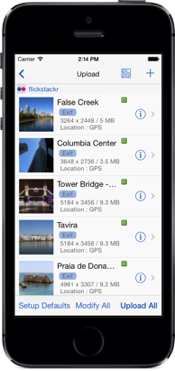
Upload photos directly from your iPhone/iPad. Use the device's photo library as source, the camera, the Camera Connection Kit, or using iTunes drag and drop, to get photos from your computer.
Upload in the background while you continue to browse photos
Edit images when uploading: crop, rotate, adjust or add effects to your photos.
Edit titles, descriptions or geo location of photos when uploading, as well as adding tags and adding to sets and groups
Share
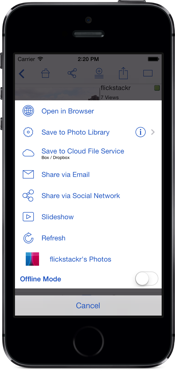
Share photos via email, Facebook, Twitter and Tumblr.
Share your photos by playing a slideshow with music. Or if you have a lager audience stream it via AirPlay or with an external display cable.
Download
At any time you can choose to download one or several photos to your Photo Library.
Edit
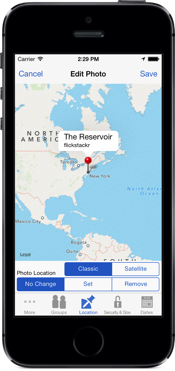
Edit your Flickr photo's metadata and geo location.
Edit photo metadata in batches
Edit your photos: crop, rotate, adjust, add effects to your photos.
Stack
Keep track of your favorite photos, groups or users by sending them to the Stack.
The Stack is a saved collection of images that you have liked and you would like to come back and view at a later time. The Stack is available whether you’re online or not.
Instagram, 500px, Facebook, Box, DropBox, Google Drive, SkyDrive
Access your 500px, Box, DropBox, Google Drive, SkyDrive, Instagram, Picasa, ipernity, or Facebook photos in the same way you access your Flickr photos. In PhotoExplorer you can add access to these services via an in-app purchase. (Access to Facebook does not require in-app purchase)
Save photos from Flickr to DropBox, Box, Google Drive, or SkyDrive. Or if you have photos in Box, DropBox, Google Drive or SkyDrive that you want to make available in Flickr you can do that too.
Designed to provide a seamless experience regardless of the source.
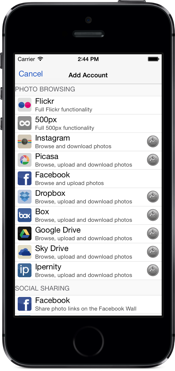
Accounts
If you share your iPad at home, PhotoExplorer supports multiple Flickr accounts.
If you don't have a Flickr account you can still browse Flickr photos
Universal
You can enjoy PhotoExplorer on your iPad, iPhone, and iPod Touch